
Flight Sim Yoke Guide: Pilot Insights
Whether you’re a virtual pilot looking to master your home cockpit or an aspiring aviator preparing for real-world training, understanding flight sim yokes is essential. These control devices form the backbone of realistic flight simulation, translating your hand movements into precise aircraft control inputs. A quality flight sim yoke can dramatically enhance your flying experience, providing tactile feedback and muscle memory development that translates across multiple simulation platforms.
Flight simulation has evolved tremendously over the past decade. Modern yokes now feature sophisticated force feedback systems, programmable buttons, and compatibility with virtually every major flight simulator on the market. Whether you’re flying cross-country routes like SFO to LAX flights in a simulator or planning flights from New York to Paris, having the right equipment matters. This comprehensive guide explores everything you need to know about flight sim yokes from actual pilot perspectives.
Understanding Flight Sim Yokes
A flight simulator yoke is a control device that mimics the control column found in actual aircraft cockpits. Unlike gaming joysticks that primarily handle pitch and roll, a flight sim yoke offers a more authentic flying experience by replicating the exact movements and resistance pilots encounter during real flights. The yoke controls aircraft pitch (nose up/down) through forward and backward movements, while rotating the yoke controls roll (banking left/right).
Professional pilots and serious flight simulation enthusiasts recognize that investing in quality yoke hardware pays dividends. The tactile response, precision, and durability of premium yokes ensure consistent performance across hundreds of flight hours. Many commercial pilots actually use home flight simulators with proper yokes for maintaining currency and practicing challenging approaches during their off-time.
When considering your setup, think about your simulation goals. Are you training for a private pilot certificate? Practicing instrument approaches? Or simply enjoying recreational flying? Your answer will influence which flight sim yoke best suits your needs. The SkyVoyage Hub Blog frequently discusses equipment that complements travel planning and aviation knowledge.

Types of Yokes Available
The flight simulation market offers several distinct yoke categories, each serving different pilot needs and budgets. Understanding these options helps you make an informed decision about which flight sim yoke investment makes sense for your situation.
Entry-Level Yokes typically range from $100-$300 and provide basic pitch and roll control without force feedback. These are perfect for casual simmers who want to upgrade from a standard joystick. Models in this category offer decent build quality and compatibility with most flight simulators, though they lack the sophisticated feedback systems found in premium options.
Mid-Range Yokes ($300-$800) introduce force feedback technology, programmable buttons, and improved mechanical construction. These yokes appeal to serious hobbyists and flight training students who want realistic feedback without the premium price tag. Many professional pilots actually use mid-range equipment at home, finding the value-to-performance ratio excellent for maintaining skills between actual flights.
Professional-Grade Yokes ($800-$3,000+) represent the pinnacle of flight simulation hardware. These devices feature advanced force feedback, modular designs, extensive customization options, and military-grade construction. Professional training facilities and airline pilot training centers often utilize these premium yokes. If you’re serious about best airlines for long flights and want to understand advanced operations, professional yokes help develop that expertise.
Some pilots prefer yoke and control column combinations that include integrated throttle controls, trim wheels, and autopilot switches. These complete cockpit setups provide unmatched realism and streamline your control interface, eliminating the need for separate peripheral devices.
Mechanical Systems Explained
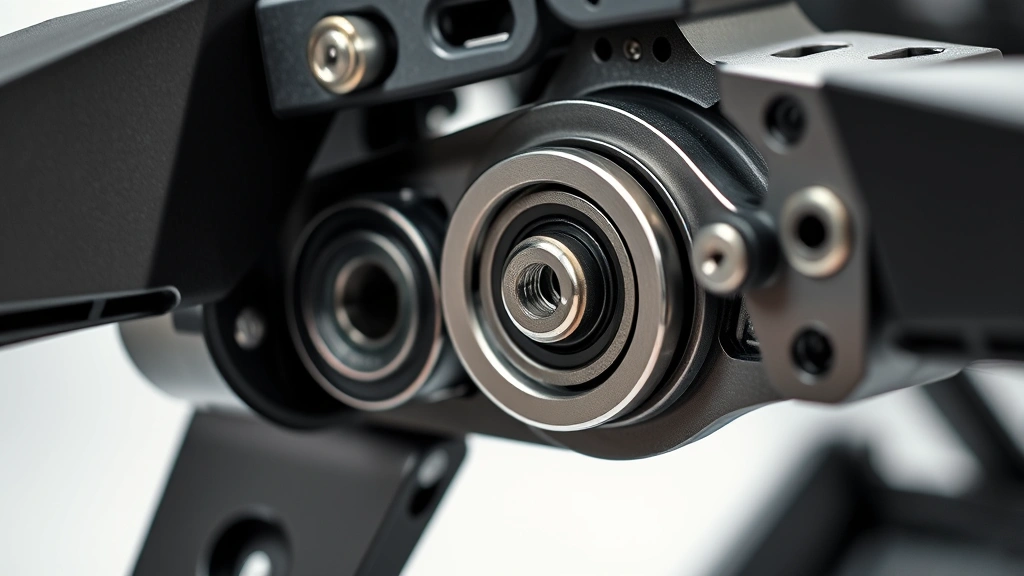
Understanding the mechanical engineering behind flight sim yokes helps you appreciate quality construction and predict long-term reliability. Modern yokes employ several mechanical principles to deliver authentic control feel.
Friction and Dampening Systems create resistance that mimics actual aircraft control forces. Pilots expect some effort when moving the yoke, and proper dampening prevents overshooting or jerky inputs. Quality yokes use ball bearings, precision machining, and calibrated springs to achieve realistic control forces across the entire range of motion. This mechanical sophistication directly influences your muscle memory development and translates better to real aircraft.
Potentiometer and Sensor Technology converts physical yoke movement into digital signals that flight simulators interpret. High-quality yokes use multiple sensors with redundancy, ensuring accurate pitch and roll inputs even after thousands of flight hours. Cheaper models sometimes rely on single sensors, which can develop dead zones or calibration drift over time.
Cable and Pulley Systems in premium yokes distribute forces smoothly and prevent binding. These mechanical linkages require precision manufacturing and regular maintenance to function optimally. Professional-grade yokes often feature sealed bearings that resist dust and debris, extending operational lifespan significantly.
The centering mechanism automatically returns your yoke to neutral when released. Properly designed centering feels natural and responsive, crucial for developing correct stick-and-rudder skills. Some advanced yokes offer adjustable centering force, allowing customization for different aircraft types or personal preferences.
Force Feedback Technology
Force feedback represents the most significant advancement in flight simulation hardware over the past fifteen years. This technology actively applies resistance to your yoke movements, simulating the actual aerodynamic forces a pilot experiences during flight. When properly implemented, force feedback dramatically improves realism and learning effectiveness.
Aerodynamic Resistance Simulation applies force based on airspeed, altitude, and control inputs. As you fly faster, the yoke becomes heavier and requires more effort to move. This feedback helps develop proper control techniques, as pilots learn to make smaller, more deliberate inputs at higher speeds. During slow-speed flight, the yoke feels lighter, encouraging the larger control movements necessary for maintaining control authority.
Stall Warning Feedback provides tactile indication of approaching stall conditions through yoke vibration and resistance. This sensory input is invaluable for developing stall recognition and recovery skills before flying actual aircraft. Many flight training organizations credit force feedback systems with improving student pilot performance during stall recovery practice.
Trim System Simulation allows you to adjust control forces through trim inputs, just like real aircraft. Properly trimmed aircraft require minimal control pressure, teaching you efficient flying techniques. Force feedback yokes make trim adjustment feel consequential, not just a button press.
Runway Feedback during takeoff and landing simulates tire vibration, wind gusts, and ground effect aerodynamics. This feedback helps develop smoother landing techniques and better directional control during crosswind operations. When preparing for booking flights for multiple people and understanding airline operations, appreciating how pilots train becomes fascinating.
Setup and Calibration
Proper setup and calibration of your flight sim yoke directly impacts performance and realism. Even premium equipment performs poorly with inadequate calibration.
Physical Mounting is critical. Your yoke should mount securely to a desk, control column, or specialized cockpit frame. Movement during flight breaks immersion and introduces inconsistent control inputs. Professional pilots often invest in dedicated mounting hardware that positions the yoke at realistic heights and angles matching their actual aircraft experience.
Calibration Procedures vary by yoke model but generally involve defining minimum and maximum control deflection ranges. Most modern yokes include software utilities that guide you through calibration step-by-step. Perform calibration regularly, especially after any mechanical adjustments or when noticing control inconsistencies.
Sensitivity Adjustment determines how much aircraft movement results from a given yoke input. Higher sensitivity means smaller yoke movements create larger pitch and roll changes. Most pilots prefer moderate sensitivity settings that require full yoke range for full aircraft control authority, mimicking real aircraft behavior.
Dead Zone Configuration establishes a small neutral range around the center position where no control input is registered. Proper dead zones eliminate unwanted drift from slight yoke movements, while excessive dead zones reduce precision. Most flight simmers prefer minimal dead zones once they’ve developed proper technique.
Button Programming on advanced yokes allows customization of dozens of functions. Assign frequently-used controls like autopilot engagement, trim adjustment, and gear extension to convenient buttons. Thoughtful button layout reduces the need to reach for your keyboard during critical flight phases.
Real-World Training Applications
Flight simulators with quality yokes serve legitimate training purposes recognized by aviation authorities worldwide. Understanding these applications illustrates why serious pilots invest in realistic home equipment.
Instrument Rating Preparation benefits tremendously from realistic yoke feedback. Student pilots preparing for their instrument rating spend hours practicing approaches under simulated instrument conditions. Quality yokes make this practice more effective by providing proper control feel and feedback. The Federal Aviation Administration recognizes approved flight training devices that include proper yoke systems for credit toward actual flight training requirements.
Recurrent Training and Currency Maintenance is where many professional pilots use home simulators with quality yokes. Airline pilots often practice emergency procedures and challenging approaches during their off-time to maintain proficiency. The realistic control feel from a quality flight sim yoke ensures that home practice translates directly to actual aircraft handling.
Procedure Memorization becomes more effective when coupled with realistic physical feedback. Pilots memorizing checklist flows and emergency procedures in a simulator with proper yoke feedback develop stronger muscle memory. When they transition to actual aircraft, the control feel is familiar, allowing them to focus on higher-level flying tasks.
Type Rating Preparation for transitioning to new aircraft types benefits from simulators featuring aircraft-specific yoke characteristics. Different aircraft have different control forces and response characteristics. Practicing in a simulator that accurately replicates these characteristics accelerates the learning curve when moving to actual aircraft type training.
The International Civil Aviation Organization provides guidance on flight simulation standards and training credit, recognizing quality equipment’s importance in pilot development.
Beyond formal training, many pilots appreciate that quality home simulation with proper yokes helps maintain stick-and-rudder skills during periods when actual flying is limited. Whether you’re studying flight crew operations or actively flying, understanding these training applications deepens appreciation for proper simulation equipment.
FAQ
What’s the difference between a flight sim yoke and a joystick?
Flight sim yokes replicate actual aircraft control columns, with forward/backward movement controlling pitch and rotation controlling roll. Joysticks typically handle pitch and roll through stick deflection. Yokes feel more natural to pilots with real aircraft experience and encourage better control technique development. Most serious flight simmers and professional pilots prefer yokes for their authentic control feel.
Can I use a flight sim yoke with multiple simulators?
Yes, most modern flight sim yokes feature broad software compatibility across major platforms including Microsoft Flight Simulator, X-Plane, Prepar3D, and others. Check specific yoke documentation for compatibility with your preferred simulator. USB connectivity and standard controller protocols ensure broad compatibility, though some specialized features may require simulator-specific software.
How much should I spend on a quality flight sim yoke?
Budget depends on your commitment level. Casual simmers find good value in $200-400 entry-level yokes. Serious hobbyists and flight training students benefit from $400-800 mid-range options with force feedback. Professional pilots and training centers justify $1,000+ investments for premium equipment. Consider your simulation frequency and training goals when determining appropriate budget.
Is force feedback necessary for flight simulation?
Force feedback significantly enhances realism and learning effectiveness but isn’t absolutely necessary for enjoyable flight simulation. Entry-level yokes without force feedback still provide better control response than joysticks. However, if your goal includes realistic training or developing professional-level skills, force feedback becomes increasingly valuable.
How do I maintain my flight sim yoke?
Keep your yoke clean and dry, avoid exposing it to extreme temperatures, and store it in a protected location. Periodically recalibrate to maintain accuracy. Avoid excessive force or impacts that could damage mechanical components. Quality yokes built with sealed bearings require minimal maintenance beyond occasional dusting.
Can home flight simulation count toward pilot training hours?
In limited circumstances, yes. The FAA allows credit for approved flight training devices, though specific requirements apply. Your flight training instructor can advise whether your simulator meets approval standards. Generally, personal home simulators don’t count toward required flight hours, but they’re valuable for supplemental training and proficiency maintenance.
What features matter most in a flight sim yoke?
Precision, durability, and compatibility top the priority list. Force feedback quality, button programmability, and smooth mechanical response significantly impact user experience. For serious pilots, compatibility with your specific aircraft simulator and integration with other cockpit peripherals matters considerably. Read reviews from actual pilots to understand real-world reliability and performance.