Top Flight Sim Controls: Expert Review & Complete Guide
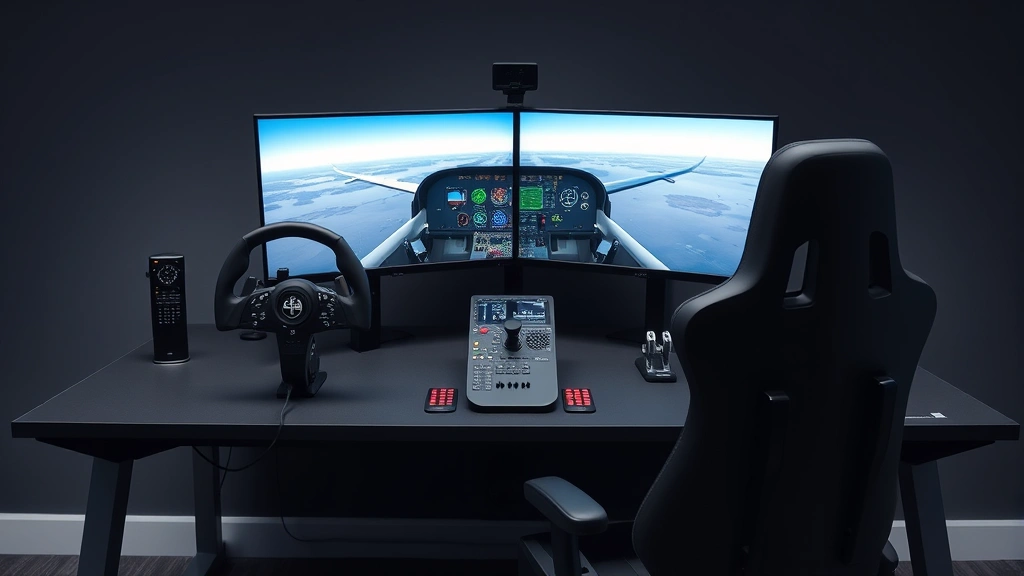
Flight simulation has evolved dramatically over the past decade, transforming from a niche hobby into a sophisticated training and entertainment platform. Whether you’re a casual gamer exploring virtual skies or an aspiring pilot preparing for real-world certification, selecting the right flight sim controls can make or break your experience. The difference between a basic keyboard setup and a professional-grade control system is night and day—affecting everything from precision landings to smooth cruising at altitude.
This comprehensive guide examines the best flight simulation control setups available today, breaking down everything from joysticks and yokes to throttle quadrants and pedals. We’ll explore what makes certain controls superior, how they compare in real-world aviation applications, and which systems offer the best value for different skill levels. If you’re serious about flight simulation, understanding your control options is the first step toward mastery.

Understanding Flight Sim Control Basics
Flight simulation controls replicate the physical inputs found in real aircraft. Understanding these basics helps you choose equipment that matches your needs and budget. The primary control axes in any aircraft—whether real or simulated—are pitch (nose up/down), roll (wing left/right), yaw (nose left/right), and throttle management. Each of these requires specific input devices for authentic simulation.
Modern flight simulators like Microsoft Flight Simulator and X-Plane support multiple control devices simultaneously, allowing you to build a comprehensive cockpit setup. The quality of your controls directly impacts your ability to perform smooth maneuvers, execute precise approaches, and maintain stable flight profiles. Even small delays or inaccuracies in control input can cascade into larger deviations from your intended flight path.
When evaluating flight sim controls, consider several key factors: responsiveness (how quickly the control reacts to input), resolution (how many distinct positions the control can register), build quality (durability for long-term use), and compatibility (whether it works with your chosen simulator). Professional-grade controls offer superior resolution and responsiveness, while budget options provide adequate functionality for casual flying.
Joysticks vs. Control Yokes Explained
The choice between joysticks and control yokes represents one of the most fundamental decisions in flight simulation setup. Joysticks are handheld controllers that move in multiple directions, providing input for pitch and roll. They’re compact, versatile, and suitable for various aircraft types. Control yokes, conversely, mimic the actual steering wheels found in real aircraft, offering a more authentic experience and better ergonomics for extended flight sessions.
Joysticks excel in several scenarios. They’re ideal for fighter aircraft simulation, where rapid inputs and aggressive maneuvering are common. They occupy less desk space, making them perfect for compact setups. Many joysticks feature programmable buttons, allowing you to assign navigation functions, autopilot controls, or communication features without reaching for your keyboard. Popular options include the Thrustmaster T.16000M, known for its precision and affordability.
Control yokes, however, provide unmatched authenticity for commercial aviation simulation. They match the physical interface you’d encounter in a real Boeing or Airbus, making them invaluable for pilot training applications. Yokes typically offer larger control surfaces, reducing input fatigue during long flights. The Honeycomb Alpha flight yoke has become the industry standard for enthusiasts, featuring realistic feel and excellent build quality. For those interested in learning about flight dispatcher jobs, understanding these control systems provides insight into professional aviation operations.
The decision ultimately depends on your primary focus. Commercial aviation enthusiasts should choose yokes, while those simulating military aircraft or seeking maximum versatility should consider joysticks. Many serious pilots use both, switching between them based on the aircraft type they’re flying.
Throttle Quadrants and Engine Management
Throttle quadrants represent the bridge between basic control input and realistic engine management. Unlike simple throttle sliders, quadrants feature multiple levers for controlling throttle, propeller pitch, and mixture—parameters critical to realistic flight dynamics. A quality throttle quadrant transforms your simulation from arcade-like to genuinely educational.
Modern throttle quadrants include several control axes: the throttle lever (primary power control), the propeller lever (adjusting blade pitch for efficiency), and the mixture lever (controlling fuel-to-air ratio). Some advanced systems add separate controls for flaps, landing gear, and fuel cutoff switches. The Logitech Pro Flight Throttle Quadrant offers excellent value for intermediate pilots, while the Honeycomb Bravo throttle quadrant provides professional-grade features with extensive customization options.
For those planning long flights, smooth throttle management becomes essential for fuel efficiency and maintaining optimal cruise performance. Learning proper throttle technique in simulation directly translates to understanding real aircraft operations. Many flight schools now use advanced simulators with realistic throttle systems to train new pilots before they ever sit in a real cockpit.
Integration between your joystick/yoke and throttle quadrant is seamless with modern flight simulators. Your software recognizes each input device independently, mapping controls appropriately. This modular approach allows you to upgrade components gradually, starting with essential controls and adding complexity as your skills develop.
Rudder Pedals and Precision Flying
Rudder pedals complete the control suite, providing yaw control essential for realistic flight. Many casual pilots overlook pedals, relying instead on keyboard inputs for yaw control. However, pedals fundamentally change how you fly, enabling smooth coordinated turns and proper crosswind landing techniques. The difference between sloppy and precise flying often comes down to pedal quality.
Quality rudder pedals offer independent toe brakes, allowing you to apply differential braking during takeoff and landing. This feature is crucial for maintaining directional control on the ground, especially in crosswind conditions. The Logitech Pro Flight Rudder Pedals provide reliable performance at reasonable cost, while the Honeycomb Rudder Pedals offer enhanced features and build quality for serious enthusiasts.
Proper pedal technique prevents many common flight simulation mistakes. Many users experience difficulty maintaining altitude during turns because they’re not using pedals to coordinate their inputs. In real aircraft, coordinated flight requires simultaneous inputs from stick/yoke and pedals. Learning this coordination in simulation prepares you for actual flying, making pedals especially valuable if you’re studying toward pilot certification.
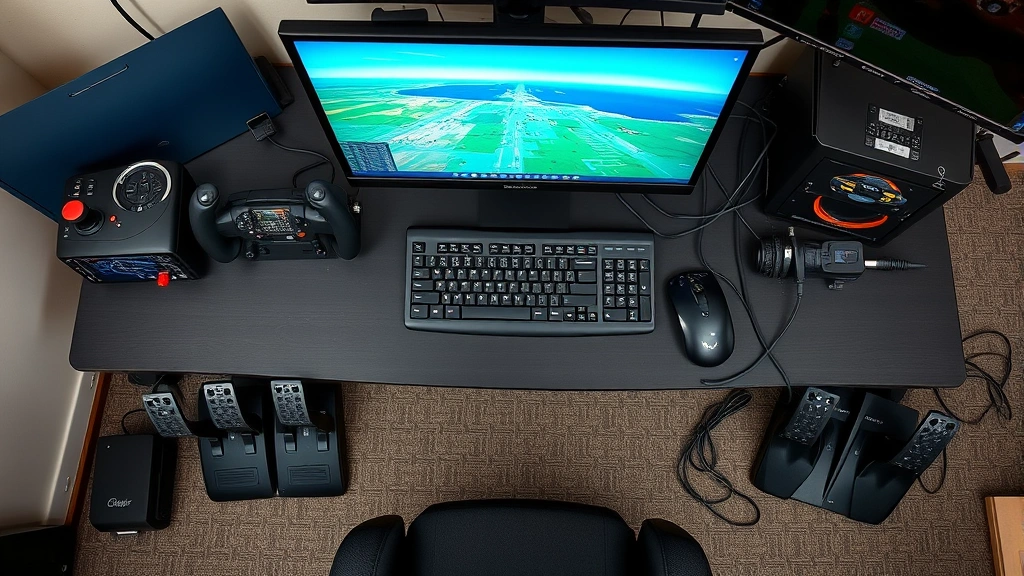
Pedal installation requires appropriate desk space and sometimes additional mounting hardware. Some users mount pedals to the floor beneath their desk, while others use specialized mounting brackets. Regardless of mounting method, ensuring pedals remain stable during use prevents frustrating control issues mid-flight.
Top Control Systems Reviewed
Several control systems have earned stellar reputations among flight simulation enthusiasts. Understanding what makes each system distinctive helps you select equipment matching your specific needs and budget constraints.
Thrustmaster T.Flight Hotas One represents the entry-level sweet spot, combining joystick and throttle in one integrated unit. It’s affordable, compact, and surprisingly capable for beginners. The control resolution is adequate for casual flying, and the build quality is respectable. However, serious pilots quickly outgrow its limitations.
Honeycomb Alpha Flight Yoke dominates the enthusiast market for commercial aviation simulation. Its authentic yoke design, robust construction, and excellent ergonomics make it the default choice for those serious about realistic Boeing and Airbus simulation. The yoke’s dual-axis design provides independent elevator and aileron control, matching real aircraft behavior. Paired with the Honeycomb Bravo throttle quadrant, it creates a formidable simulation cockpit.
VirtualFly Yoko Flight Yoke offers a premium alternative with exceptional build quality and realistic feel. It’s particularly praised for smooth, responsive control and beautiful aesthetics. The price point is higher than competitors, but many users consider it justified by the superior experience.
Virpil Controls Systems represents the professional tier, offering military-grade control sticks and throttle systems. These are exceptionally robust, feature incredible resolution, and support extensive customization. They’re overkill for casual users but ideal for serious simulation enthusiasts and professional training environments.
CH Products Flight Sim Yoke provides a reliable, proven option with decades of flight simulation heritage. It’s simpler than modern competitors but remains viable for those seeking uncomplicated, dependable controls.
Budget-Friendly Options
You don’t need to spend hundreds of dollars to enjoy quality flight simulation. Several budget options deliver surprising capability without breaking the bank.
The Thrustmaster T.16000M FCS Flight Pack combines a precision joystick with a basic throttle unit at moderate cost. It’s well-suited for newcomers exploring flight simulation without major investment. The joystick offers exceptional precision for the price, and the throttle provides basic engine control functionality.
The Logitech Pro Flight System offers modular components—joystick, throttle, and pedals—available at various price points. You can start with the joystick alone, adding other components as budget allows. This approach lets you gradually build a capable setup without upfront expense.
For those on extremely tight budgets, quality keyboard and mouse alternatives still enable enjoyable flight simulation. Modern flight simulators have optimized keyboard controls significantly. While not ideal for serious training, they’re adequate for recreational flying and learning basic concepts. Read our guide on essential tips for long haul flights to understand how flight simulation relates to real aviation practices.
Budget options share common limitations: lower control resolution, basic build quality, and limited button availability. However, they’re excellent for determining whether flight simulation matches your interests before investing in professional-grade equipment.
Professional-Grade Equipment
Professional flight training centers and serious enthusiasts demand the highest control quality. Professional-grade systems cost significantly more but deliver uncompromising performance and durability.
Virpil Controls manufactures military-specification control systems used in actual flight training. Their products feature incredible build quality, extensive customization, and exceptional responsiveness. A complete Virpil setup costs thousands of dollars but provides equipment meeting military standards.
Saitek X-56 Rhino bridges the gap between enthusiast and professional systems. It offers military-inspired design, extensive programmability, and excellent build quality at somewhat more accessible pricing. The dual-stick configuration suits fighter aircraft simulation perfectly.
Realforce Rudder Pedals provide professional-grade foot controls with exceptional feel and reliability. These pedals use proven mechanical design refined over decades, offering unmatched precision for coordinated flight.
Professional systems share several characteristics: superior resolution (providing smoother, more precise control), robust construction (withstanding thousands of flight hours), extensive customization (allowing tailored setups for specific needs), and premium materials (ensuring long-term reliability). For those pursuing aviation careers, professional-grade simulation equipment provides the most authentic training experience available outside actual aircraft.
Setup and Integration Tips
Assembling an effective flight simulation cockpit requires thoughtful planning and careful implementation. Here are essential tips for building your optimal setup.
Space Planning: Evaluate your available desk or mounting space before purchasing equipment. Yokes require more space than joysticks. Throttle quadrants need accessible positioning. Pedals require floor space or mounting brackets. Sketch your setup to ensure everything fits comfortably.
Ergonomics Matter: Your controls should position naturally, reducing strain during extended sessions. Your joystick or yoke should align with your seated eye level. Throttle quadrants should be easily reachable without awkward stretching. Pedals should require minimal foot movement. Poor ergonomics lead to fatigue and diminished accuracy.
Cable Management: Multiple USB devices generate significant cable clutter. Invest in quality cable organizers and consider powered USB hubs to manage power distribution. Secure cables to prevent accidental disconnection during critical flight moments.
Calibration is Critical: After installation, calibrate all controls through your flight simulator software. Proper calibration ensures accurate input recognition across the full range of motion. Recalibrate if you change control positioning or add new devices.
Software Configuration: Map controls logically within your flight simulator. Essential functions (pitch, roll, yaw, throttle) should use primary hardware controls. Secondary functions (autopilot, navigation, communication) can use keyboard or programmable buttons. Consistent mapping across different aircraft types reduces mental overhead.
Mounting Solutions: Invest in quality mounting hardware. Wobbly controls create frustrating control lag and inconsistency. Monitor arm mounts work well for yokes. Desk clamps secure joysticks effectively. Floor mounts or brackets keep pedals stable.
Those interested in aviation careers should understand that professional flight training uses certified simulation equipment meeting strict standards. Learning on quality consumer-grade controls builds habits transferable to professional training environments. See our article on flight attendant professionalism for insight into aviation industry standards and how simulation training supports career development.
For those booking real flights, understanding flight simulation controls provides fascinating perspective on what pilots experience in the cockpit. Read about booking refundable airline tickets while you enjoy your flight simulation hobby—sometimes the best vacations combine learning with travel.
FAQ
What’s the minimum investment for a decent flight sim setup?
A basic functional setup costs $150-300: a quality joystick (around $100) and a simple throttle unit (around $80-150). This provides authentic control for recreational flying. Budget another $100-150 for rudder pedals to complete the essential control suite.
Do I really need rudder pedals?
While not strictly necessary, pedals dramatically improve your flying experience and realism. They’re essential for proper crosswind landings and coordinated turns. If serious about flight simulation, they’re worth the investment.
Can I use a gaming joystick for flight simulation?
Many gaming joysticks work with flight simulators, but they’re not optimized for aviation. Gaming joysticks often have excessive deadzone (insensitive center area) and insufficient resolution. Flight-specific joysticks provide superior precision and control responsiveness.
Which simulator should I choose for my controls?
Microsoft Flight Simulator and X-Plane support virtually all consumer flight sim controls equally well. Choose based on your interests: MSFS for stunning graphics and accessibility, X-Plane for realistic flight dynamics and professional training features.
How often should I calibrate my controls?
Calibrate once when initially setting up your equipment, then recalibrate if you notice control drift or after repositioning devices. Most users find annual recalibration maintains optimal performance.
Are wireless flight sim controls reliable?
Modern wireless controls are reliable for recreational flying but may introduce minimal latency. Professional pilots prefer wired connections for zero-latency performance. For casual flying, quality wireless options work well.
Can I mix brands in my setup?
Yes, modern flight simulators support mixed-brand equipment. You can use a Honeycomb yoke with Logitech pedals and Thrustmaster throttle if desired. Just ensure all devices are USB-compatible and properly calibrated.